
Many photographers know about a very unusual and interesting effect using the zoom.

Zoom effect. Photo tricks from Radozhiva. Part 6
This effect is called the zoom effect . To achieve this unique image perfectly, we need a tripod and a camera with a zoom lens. But even without a zoom lens, a regular prime lens will suffice.

Sample photo
A simple zoom method:
We choose a location we like to shoot. It's best to shoot in the evening or at night, as we need a very long shutter speed . We mount the camera on a tripod. We adjust the camera on the tripod to properly compose the shot. We select shutter priority mode . On DSLR cameras, this mode is designated as "S" (for "Shutter Speed") or "TV." We select the maximum allowable shutter speed , usually 30 seconds. In this mode, the camera will automatically select the appropriate aperture. I recommend turning off automatic ISO and setting it to the minimum allowable value—usually ISO 50, 100, 200, or sometimes Lo1 . We press the shutter button or use the remote control. We spend the first part of the time interval simply waiting for the sensor to expose (while the camera is shooting), and then we quickly change the focal length (zoom). On the CZK, the zoom is manually adjusted; on compact digital cameras, this can be problematic, and changing the zoom while shooting is impossible. The second part of the time is simply spent waiting for the camera to capture the next part of the image. After that, the photo with the zoom effect is ready.
It is important to see how the picture will look at two different zoom values in order to evaluate the final frame.
Problems shooting with this zoom effect:
1. It is not physically possible to fix the lens, either a zoom lens or legs and use are required multiple exposures.
2. You need a good, powerful and reliable tripod. As you can see, my zoom effect did not work out as I wanted. When I twisted the zoom on my tripod, the camera trembled and made unnecessary blur. I have a pretty children's tripod Velbon CX-888 / F.
3. To get this effect during the day, you need several neutral filters to get a long shutter speed.
4. For a perfect "drag" zoom effect, you need a lens with a very smooth focal length. My Tamron 17-50mm F2.8 turned out to be not very suitable and with smooth zooming gives an image with jerks, no matter how I tried. Jerks are shown by red arrows in the example below.
5. When zooming not to the extreme positions of the lens focal length, it is very easy to make a mistake. For example, on my 17-50mm for an idea with a zoom effect, you first need to shoot at 50mm, and then reduce the zoom to 35mm, with a sharp decrease in the zoom ring, you can fly over or undershoot to 35mm. As a result, sometimes you have to shoot multiple takes.

Zoom effect. Photo without Photoshop
If the camera says the aperture can't be closed any further in shutter priority mode at 30 seconds and minimum ISO, you need to either slow down the shutter speed or use a neutral density filter, sometimes even several. On Nikons, the camera's inability to select the shutter speed is indicated by the "HI" (high) message in the aperture value field—this means the aperture value must be higher than the lens allows. To get the maximum shutter speed, you can switch the camera to aperture priority mode and close the aperture as much as possible (increase the f-number). You can also use the manual shutter mode (B) (bulb). Personally, I took all of my examples in manual mode; I find it more convenient.

Classic zoom effect to create a cast effect
A variation of this effect can be achieved by using a smooth, rather than abrupt, change in focal length, with the highlights forming a sort of "stretchy" light line . This effect is sometimes more interesting than the usual version. Below is an example of a photograph taken with a zoom pull at a 30-second shutter speed . The frame features a jar of flowers.
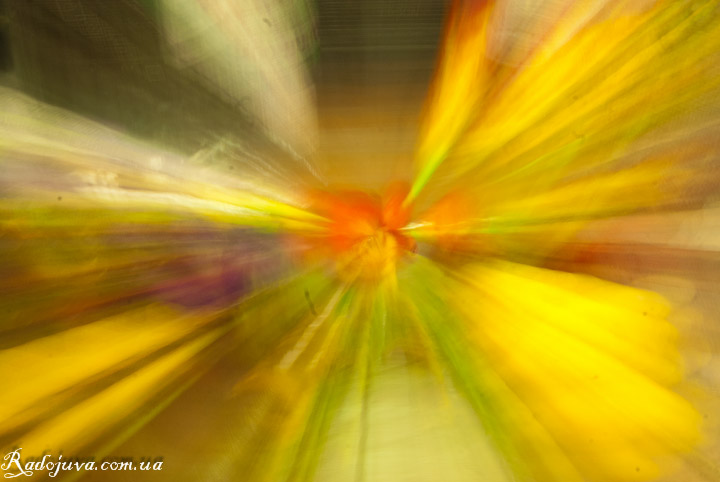
Classic zoom effect to create a viscous effect
The second zoom method without zooming
This same method can be achieved not only with a long shutter speed , but also with multiple exposures . Multiple exposures are performed either several times at different focal lengths or at a fixed focal length, but this requires moving the camera. Learn how to do this in the article " Multiple Exposures ."
Such effects are often used when shooting a city at night, night scenery, New Year's paraphernalia, and any other creative shooting. Anyway, I recommend just playing around with your DSLR and trying to come up with an interesting composition. You can check out more long exposure tricks
Conclusion:
Shooting at long shutter speeds with a zoom lens can produce interesting artistic effects , examples of which are shown above. The key to achieving this effect is the ability to use a long shutter speed and zoom, or multiple exposures . Since multiple exposures can be achieved on a computer, even the most basic digital camera can create this zoom effect.
Thank you for attention. Arkady Shapoval.

zoom effect
http://photo.vargone.ru/blog/wp-content/uploads/2011/12/IMG_5535-1280c.jpg
I found one more zoom effect
http://photo.vargone.ru/blog/wp-content/uploads/2011/12/IMG_4613-1280c.jpg
Thanks for the good examples.
cosmicly beautiful))))
not Tamron 17-55mm F2.8, but Tamron 17-50mm F2.8. This is not canon for you)
it is visible that a typo, but it is better to correct for citation.
This effect can be done in FS….
Well, also such an effect can be made a zoom.
axis may photo, zroblen such an order.
Zrobleno cim with 18-55mm f / 3.5-5.6G VR AF-S DX Nikkor, Nikon D5100 camera.
http://cs316419.userapi.com/v316419487/32b1/s_7mWb5M7os.jpg
Good afternoon! But do not tell me how to take a portrait with a broach? And really it just do?
Real, but difficult. It’s easier to do this using the editor.
I also have a Velbon CX-888 / F, I have a children's tripod how to live on?
I already broke it. While I live without a tripod.
Arkady, what you indicated with the arrows is most likely just a lamp flickering (with a frequency of 50 or 100 Hz) - all lamps suffer from this, except for incandescent lamps and some LED ones. And street lighting, these "yellow lanterns" are sodium lamps, give "pulsating" lighting, just because of the high frequency the pulsation is invisible to the eye))
That's how someone shot me at one of the teammates meetings http://yadi.sk/d/dOqxSex252l2f
removed from the hands, but what happened with me without getting up from behind the monitor http://img-fotki.yandex.ru/get/9164/139708194.45/0_119657_5895da78_XXXL.jpg
Filmed at the minimum iso, with a long exposure, up to a second ... although you can experiment, it all depends on the light ...
Thank you for the article! Very sensible. Inspired by her, I also made a couple of shots. :)
In my opinion, it turned out well. And in the second frame, it is as if a ghost town has been erected on the horizon!
http://cs618427.vk.me/v618427284/1a542/SQZCkUkWuYY.jpg
http://cs618427.vk.me/v618427284/1a54c/wYQMkL8sfnc.jpg
http://cs618427.vk.me/v618427284/1a524/WzWfbuMLd5g.jpg
took note of this tricky way, I don’t like to shamanize with an image on a computer
In the 3rd picture, the dashed lines were not due to the fact that the zoom was jerky, but because of the flickering of sodium lamps.
If you really want to, then you can get a zoom effect from hands with a short shutter speed. A sharp jerk of the zoom ring during the descent. 1/15 of a second. Tamron 17-50 / 2,8. Filmed for pampering. In general, if necessary, you can shoot the second frame without zoom and then combine it in the editor.
Something like this. Zoom without a stub is a little unsuitable for such purposes, but it seems like nothing happened.